Common reasons 1040 e-file gets rejected (and how we fix them fast)
Quick Answer
A “rejected” 1040 means the IRS didn’t accept your return. It’s not considered filed until it’s accepted (or mailed). Fix the issue quickly and resubmit. If you’re near a deadline, use the e-file perfection window (about 5 days) or mail it within 10 days. We handle both same-day.
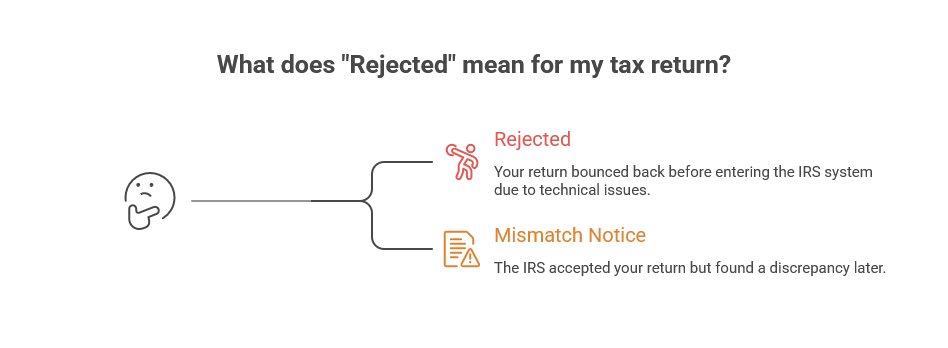
What “Rejected” Means (and what it doesn’t)
Rejected means your return bounced back before entering the IRS system. It’s not a penalty, just a technical issue.
✅ You can fix and resubmit.
✅ Most rejections clear after one or two corrections.
⚠️ A mismatch notice (sent later) is different, that means the IRS accepted your return but found a discrepancy later.

Most Common IRS E-File Reject Codes (and How We Fix Them Fast)
1️⃣ AGI or Self-Select PIN Mismatch
Why it happens: The IRS didn’t recognize your prior-year AGI or PIN.
Quick fix: Pull last year’s accepted 1040 or transcript, confirm each spouse’s AGI, or use $0 if you paper-filed last year. Resubmit e-file.
2️⃣ IP PIN Issues
Why it happens: Wrong, missing, or outdated 6-digit PINs.
Quick fix: Retrieve valid IP PINs for everyone listed. If lost, we guide you through getting a new one immediately.
3️⃣ SSN or Name Mismatch
Why it happens: Typos, recent name changes, or using an EIN instead of SSN.
Quick fix: Match info exactly to the SSA record. Confirm the right ID on Schedule C if applicable.
4️⃣ Dependent Conflicts
Why it happens: A dependent was already claimed on another return or missing an IP PIN.
Quick fix: If you’re the rightful claimant, we can paper-file with proof. Otherwise, remove and resubmit.
5️⃣ Marketplace Health Coverage (Form 1095-A / 8962)
Why it happens: Missing Form 8962 or mismatch with 1095-A.
Quick fix: Enter the 1095-A exactly as issued, complete 8962, and re-file.
6️⃣ Bank Info Errors
Why it happens: Invalid routing or account number.
Quick fix: Correct it or select paper check refund.
7️⃣ Filing Status Conflicts
Why it happens: Filing status or qualifying dependent errors.
Quick fix: Verify who qualifies, adjust, and resubmit.
8️⃣ Address or ID Mismatch
Why it happens: State ID or address doesn’t match.
Quick fix: Match USPS format, check ID fields, and re-file.
9️⃣ Education or Credit Errors
Why it happens: Missing forms or dependent data errors.
Quick fix: Add required forms and schedules, confirm details, and resubmit.
🟡 Heads-Up: Income mismatches from W-2s or 1099s usually don’t reject your e-file—they trigger a notice later. We’ll help you handle that too.

Our Fast-Fix Workflow (Same-Day Turnaround)
Step 1: Confirm name, SSN, address, and ID fields match IRS records.
Step 2: Verify AGI and PINs from the prior year.
Step 3: Retrieve and confirm all IP PINs.
Step 4: Audit dependents and filing status.
Step 5: Add missing forms like 8962, 1095-A, or education credits.
Step 6: Meet the e-file or mail deadline. We can overnight paper returns if needed.

Documents We Verify Before Resubmitting
Prior-year 1040 or IRS transcript
IP PIN letters
SSA name/SSN verification
1095-A if applicable
Driver’s license or state ID
Any name-change documents (marriage/divorce orders)
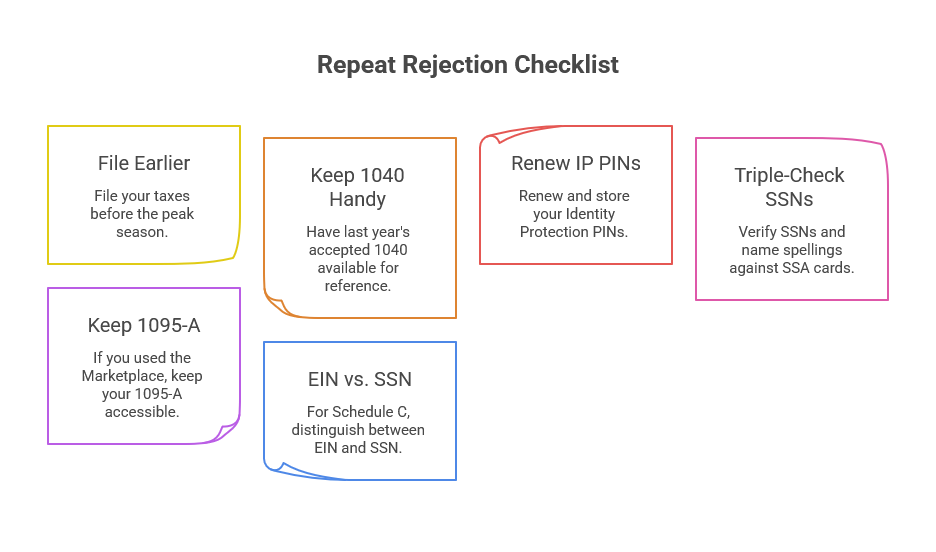
Avoid Repeat Rejections (Quick Checklist)
File earlier than the rush.
Keep last year’s accepted 1040 handy (AGI line).
Renew and store IP PINs.
Triple-check SSNs and name spellings against SSA cards.
If you used the Marketplace, keep 1095-A within reach.
For Schedule C, don’t mix up EIN and SSN.
Tax Return E-file Reject FAQs
-
Usually a mismatch: prior-year AGI, IP PIN, SSN/name control, dependent conflict, or missing forms like 8962.
-
Match identity fields to SSA, correct AGI/PIN, add missing forms, then e-file resubmit. We do this same day.
-
No. It counts when accepted (or when a timely paper return is mailed).
-
Immediately after the correction. Most accept within minutes to hours.
-
If someone already claimed a dependent you’re eligible for, you can paper-file and let the IRS decide. We prep that package.
-
Occasionally a post-acceptance issue pops up at the state level or during funding checks. We’ll review the notice or message and respond.
-
Some 1040-NR scenarios need extra ID checks or have limited e-file support. We’ll guide you on the fastest compliant route.